

Generate strong, random passwords for any account — no sign-up, no downloads, no passwords stored. Explore TaskMate's full suite of free password generator tools.
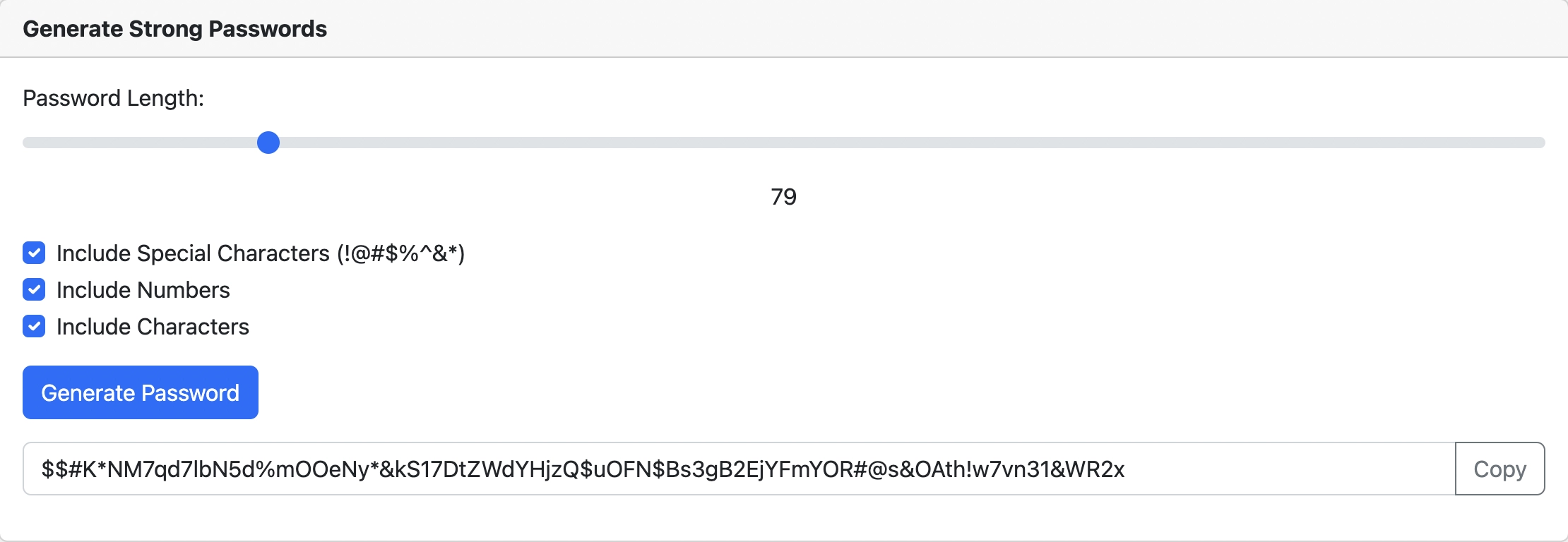
Weak passwords are still the number one cause of data breaches. Despite years of warnings, millions of people continue to use passwords like "123456", "password", and "qwerty" to protect their most sensitive accounts. A random password generator eliminates human bias and creates passwords that are genuinely difficult to crack.
This page is your central hub for all of TaskMate's free password generator tools. Whether you need a general-purpose random password, a password tailored to Apple ID requirements, or a way to check whether your current password is strong enough, you will find the right tool below.
Humans are predictably bad at creating passwords. Studies consistently reveal alarming patterns:
A password generator solves this problem by producing passwords that are truly random. No dictionary words, no personal details, no predictable patterns. Each password is unique, and the randomness makes it exponentially harder for attackers to guess or brute-force.
Not all password generators are created equal. Before you trust a tool with your security, check that it meets these criteria:
| Criteria | Why It Matters |
|---|---|
| Cryptographic randomness | The generator should use a cryptographically secure random number generator (CSPRNG), not a basic Math.random() call. This ensures passwords cannot be predicted. |
| Customisation options | You should be able to control password length and choose which character types to include — uppercase, lowercase, numbers, and special characters. Different platforms have different requirements. |
| Client-side generation | Passwords should be generated entirely in your browser. If a tool sends your password to a server, it introduces unnecessary risk. A good generator works offline after the page loads. |
| No password storage | The generator should never store, log, or transmit the passwords it creates. Once you copy your password and close the page, it should be gone from the tool's memory. |
| No account required | You should not need to sign up, provide an email, or download an app to generate a password. The best generators are instant and free. |
| Mobile-friendly | With more people managing accounts on their phones, the generator should work perfectly on mobile browsers — including Safari on iOS and Chrome on Android. |
TaskMate's password generators meet every one of these criteria. All passwords are generated client-side using the Web Crypto API, nothing is stored or sent to our servers, and every tool works on both desktop and mobile browsers.
TaskMate offers a full suite of free password generator tools, each designed for a specific use case. Pick the one that fits your needs:
Our flagship tool. Generate random passwords of any length with full control over character types. Ideal for any account or platform.
Generate PasswordCreates passwords that meet Apple's specific requirements — minimum 8 characters with uppercase, lowercase, and numbers. Perfect for your Apple account.
Generate Apple ID PasswordTailored for Google account security. Generate a strong password for Gmail, Google Drive, YouTube, and all other Google services.
Generate Google PasswordProtect your Instagram account with a truly random password. Meets Instagram's requirements while maximising security.
Generate Instagram PasswordFocused on maximum security. Generates longer, more complex passwords with all character types enabled by default.
Generate Strong PasswordAlready have a password in mind? Test it. Our strength checker analyses length, complexity, and common patterns to rate your password.
Check Password StrengthYou can also browse our full password generator directory for additional tools, including platform-specific generators for Apple ID, Snapchat, and more.
TaskMate generates your passwords — NordPass remembers them. Auto-fill across every device, protected by XChaCha20 encryption. The perfect pairing for complete password security.
Get NordPass with 50% discount →Some links on this page are affiliate links. We may earn a commission if you make a purchase, at no extra cost to you.
Generating a secure password takes less than 10 seconds. Here is how it works:
You can generate as many passwords as you need — there is no limit. Create a unique password for every account you own.
If you are looking for an iOS password generator, you do not need to download an app. TaskMate's password generators work perfectly in mobile Safari on iPhone and iPad, as well as Chrome, Firefox, and other iOS browsers.
Here is why TaskMate is a great alternative to iOS's built-in password suggestions:
To use TaskMate on your iPhone, simply open Safari and navigate to any of our password generator tools. Bookmark the page for quick access whenever you need to create a new password. You can also read our guide on suggesting strong passwords for more tips.
A strong password is worthless if you cannot remember it — or worse, if you write it on a sticky note attached to your monitor. The reality is that once you start using unique, random passwords for every account, you need a system to manage them.
Here is the problem most people face:
This is exactly why password managers exist. They store all your passwords in an encrypted vault that you unlock with a single master password. You only need to remember one password — the manager handles the rest.
Without a password manager, people inevitably fall back into bad habits: reusing passwords, simplifying them, or storing them in insecure places like browser-saved notes or spreadsheets. A password manager breaks this cycle.
We recommend NordPass as the ideal companion to TaskMate's password generators. Here is why:
The workflow is simple: generate your password with TaskMate, then save it in NordPass. Every account gets a unique, strong password, and you never have to remember any of them.
Stop reusing passwords. Generate unique passwords with TaskMate and let NordPass store, sync, and auto-fill them across all your devices. Security made simple.
Get NordPass with 50% discount →Some links on this page are affiliate links. We may earn a commission if you make a purchase, at no extra cost to you.
Looking for more guidance on creating and managing secure passwords? Check out these related articles and tools:
Stay secure online. Use a password generator for every new account, store your passwords in a trusted manager, and enable two-factor authentication wherever possible.
